Build Hermes AgentOS: 5 Agents Discord Crew & Live Mission Control Dashboard
This comprehensive 58-minute tutorial by Asad Tinkers walks you through building a complete Hermes AgentOS from scratch — a multi-agent AI operating system with 5 specialized agents operating across Discord and Telegram, all controlled from a beautiful glassmorphism Mission Control dashboard.
📋 Overview
Hermes AgentOS is a self-hosted, open-source multi-agent AI operating system that lets you create persistent AI agents with specialized roles, all working together as a coordinated crew. In this tutorial, you’ll build:
- 1 Orchestrator Agent on Telegram — the system-wide coordinator
- 4 Specialist Agents on Discord — Scout (Research), Scribe (Writing), Reach (Marketing), Dev (Technical)
- Live Mission Control Dashboard — glassmorphism UI with 5 tabs: Overview, Agents, Tasks, Schedule, Content
- Agent Logging System — every action tracked with monthly retention
- Cross-platform routing — Telegram ↔ Discord seamless coordination
🎯 What Makes This Special
Unlike simple chatbots, Hermes AgentOS provides:
- Persistent agents with memory and isolated workspaces
- Multi-platform presence — Orchestrator on Telegram, specialists on Discord
- Structured collaboration — routing table, slash commands, content pipelines
- Full observability — activity logging, mission control dashboard
- Self-hosted — run on any VPS, full data control
- Completely FREE — open-source, no subscriptions
📜 Full Tutorial Breakdown (31 Steps)
Part 1: Foundation — Orchestrator on Telegram
- Define the Orchestrator’s identity and authority
- Clean up bootstrap files
- Install permanent operating rules (progress, approval, communication, delegation)
Part 2: Building the Crew — 4 Persistent Agents
- Create four persistent agents: Scout, Scribe, Reach, Dev
- Set up memory and isolated workspaces for each
Part 3: Routing, Collaboration & Pipelines
- Routing table and slash commands
- Shared team awareness between agents
- Full content pipeline setup
- Pipeline testing
Part 4: Discord Integration
- Wire Hermes to your Discord server
- Verify bot permissions
- Create dedicated agent channels
- Bind each agent to their channel
Part 5: Activity Logging
- Build agent logging system
- Roll out logging to all agents
- Logging reinforcement
- Monthly log retention setup
Part 6-14: Mission Control Dashboard
The dashboard has 5 primary tabs:
- Overview — Live ops console with current directive, VPS health, throughput sparkline, activity feed
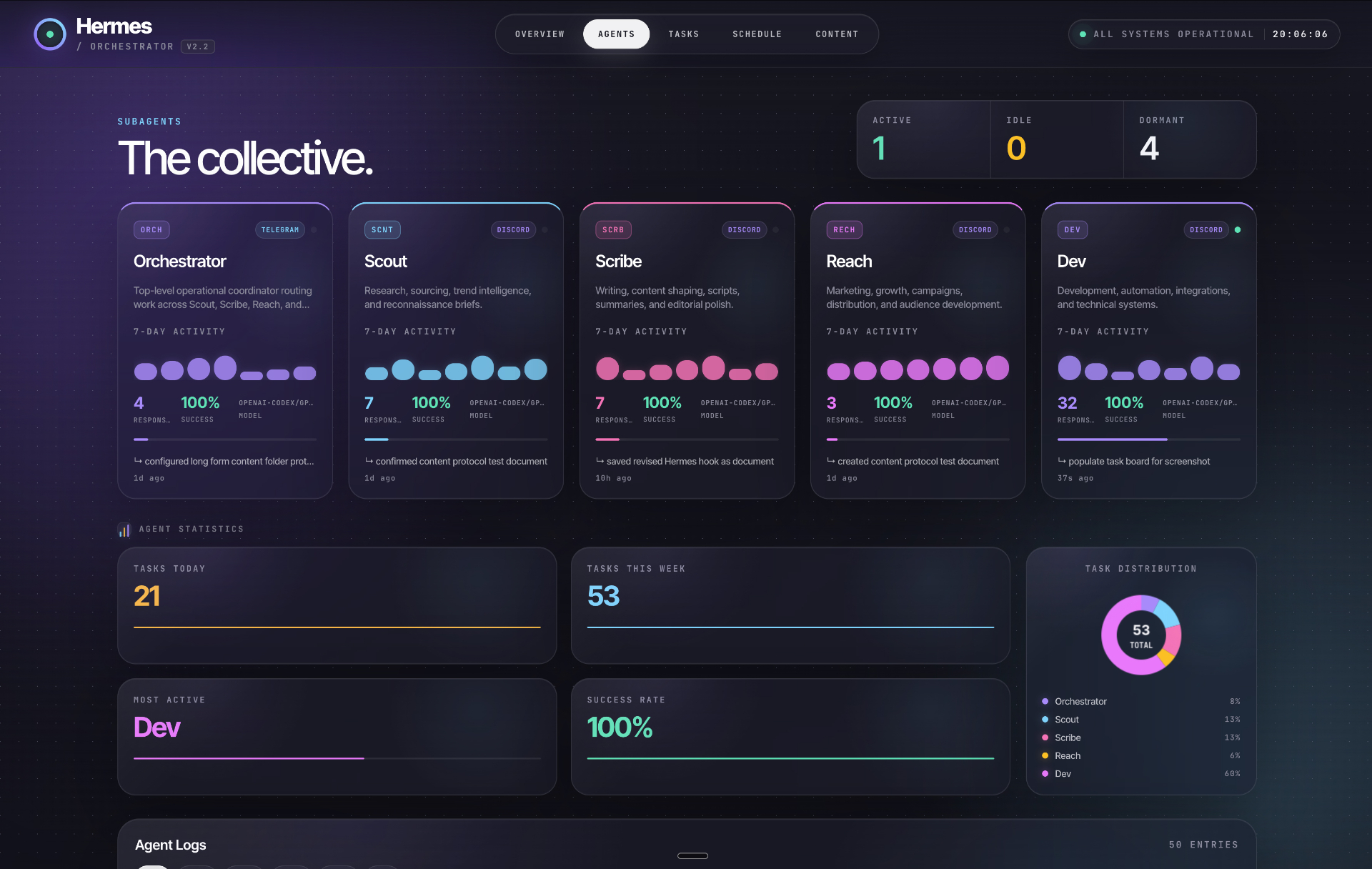
- Agents (The Collective) — Per-agent 7-day activity, response counts, model assignment, task distribution
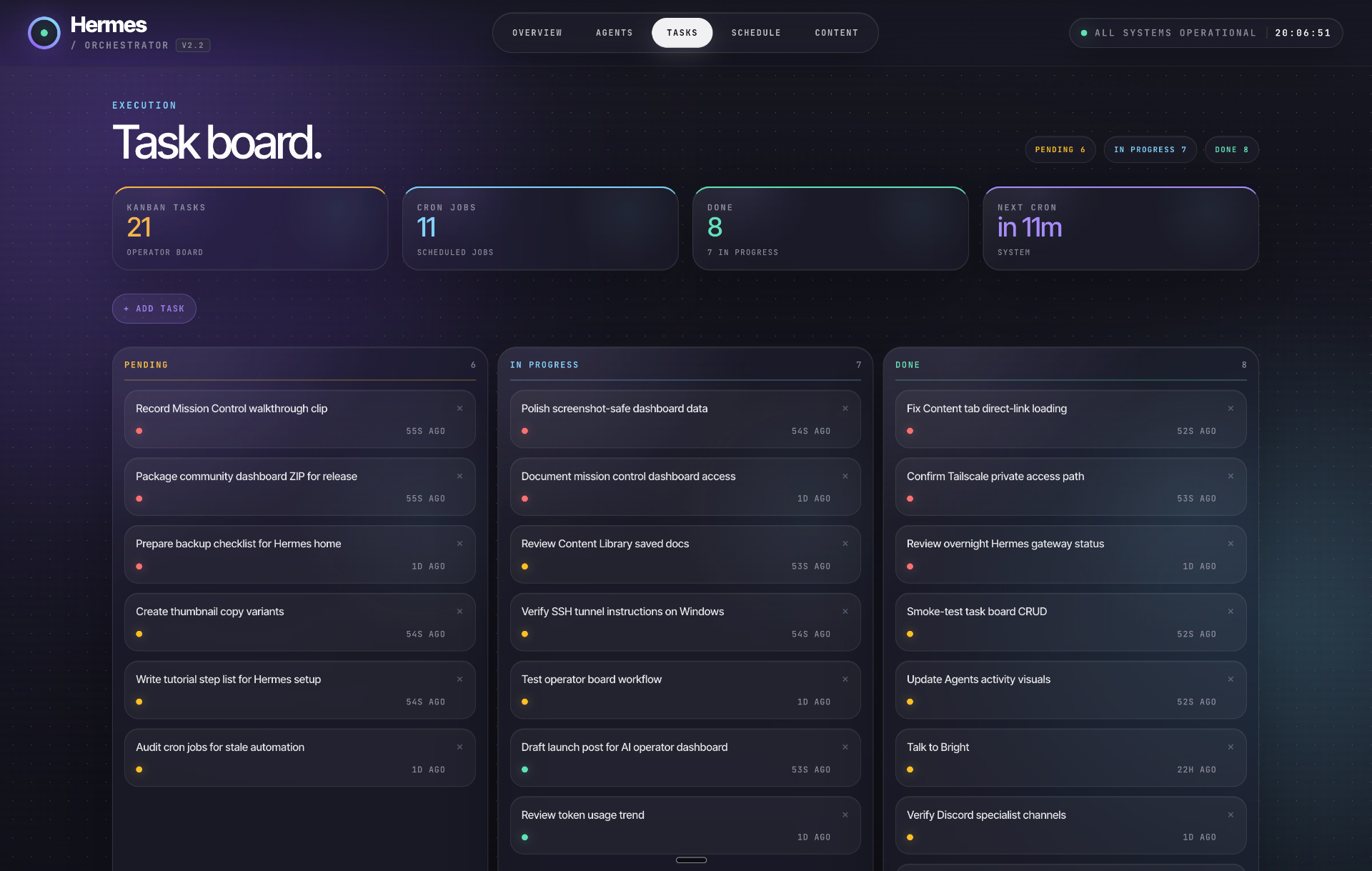
- Task Board (Kanban) — Pending · In Progress · Done with cron job counters
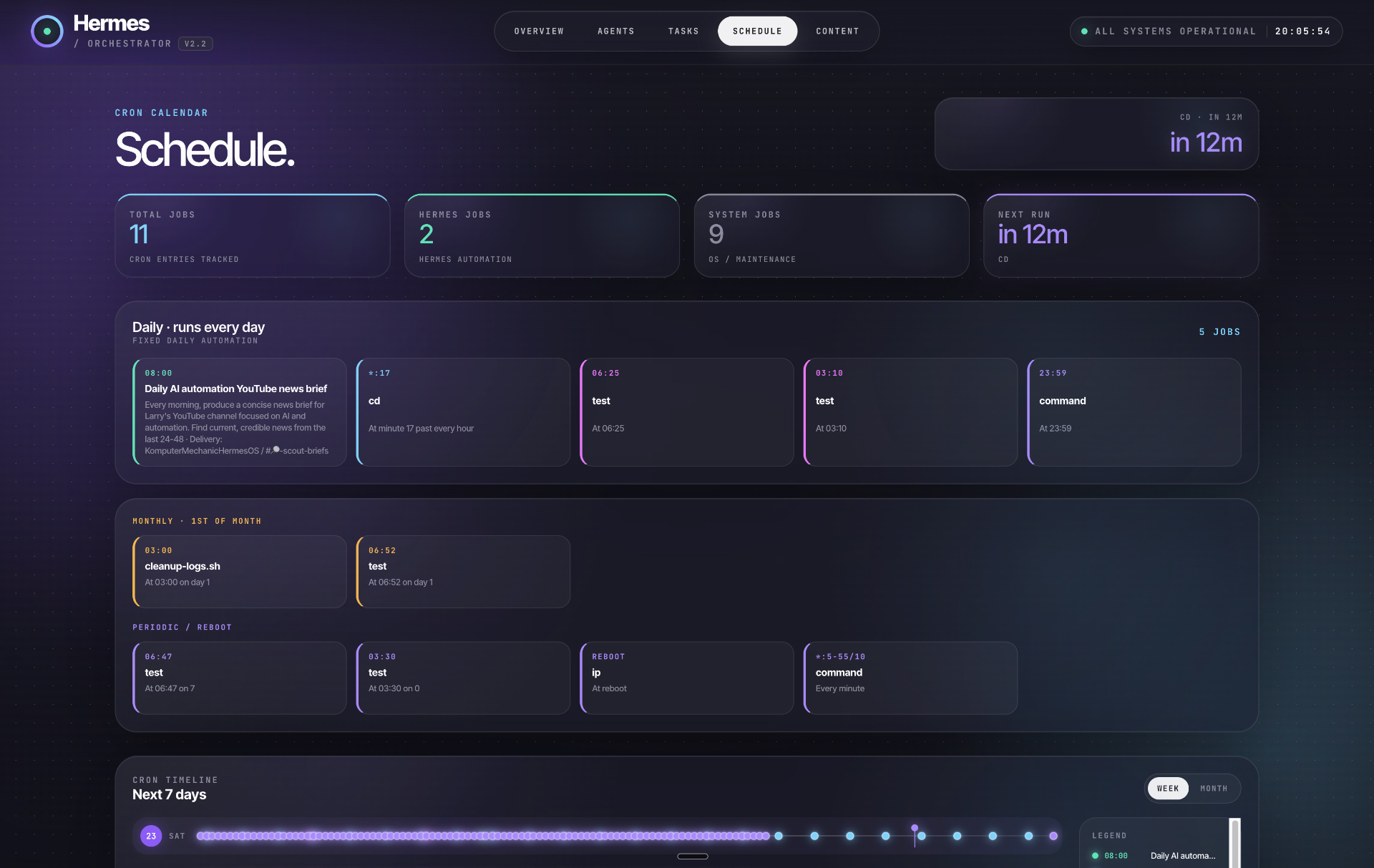
- Schedule — Cron calendar grouped by cadence with next-7-days timeline
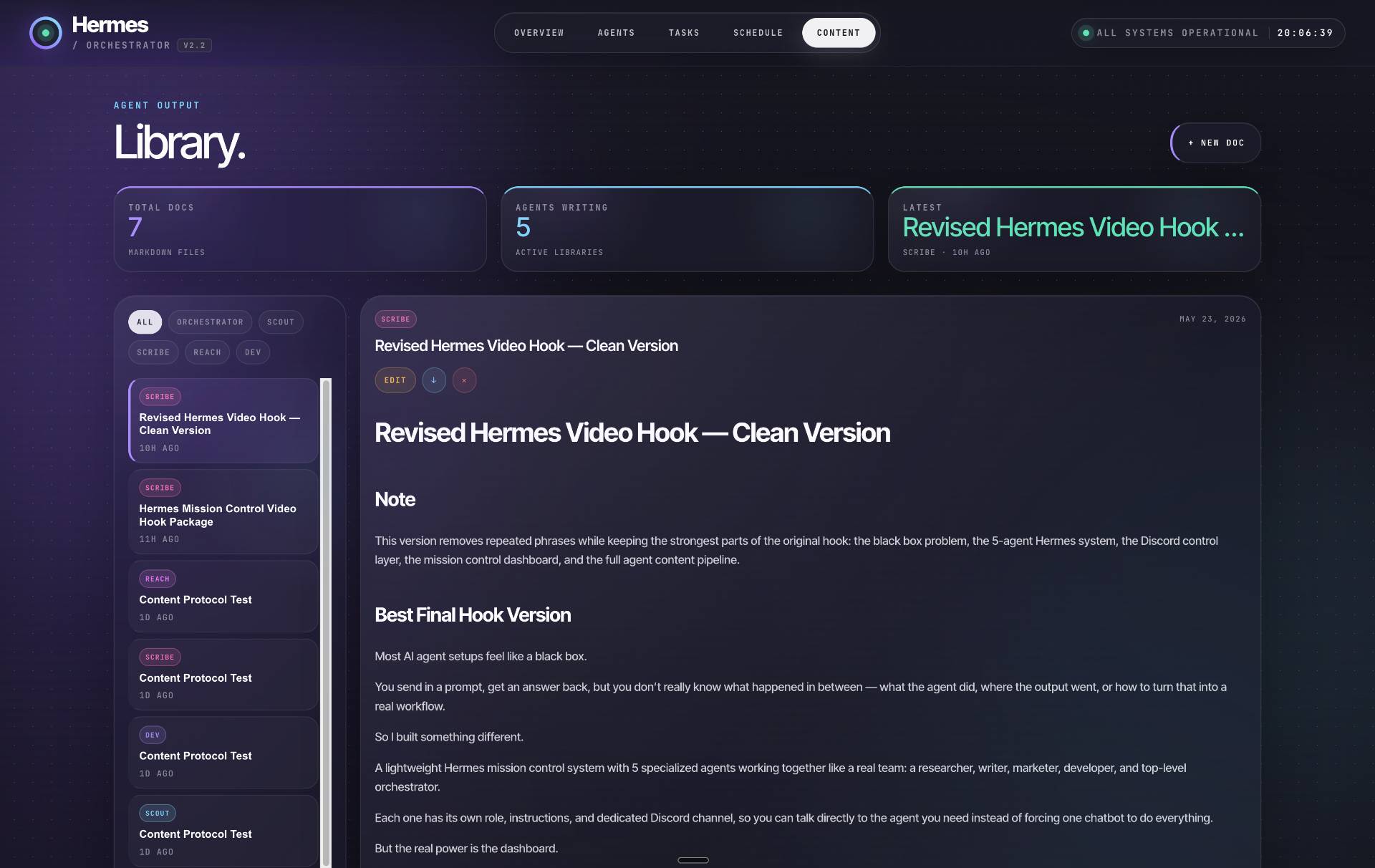
- Content Library — Agent-generated markdown documents, filtered by agent with full preview
Part 15: Seamless Access
- SSH key setup for passwordless access
- One-click desktop launcher
- Tailscale for phone & laptop access
🛠 Prerequisites
- A VPS server (Contabo or RackNerd recommended)
- Hermes installed and running on the VPS
- A Discord server with admin rights
- A Telegram account
- Basic comfort with SSH and command-line tools
- About 90–120 minutes of focused setup time
🔗 Resources & Links
| Resource | Link |
|---|---|
| 📺 Full Video Tutorial | YouTube — Asad Tinkers |
| 📂 Dashboard Template | Download HTML Template |
| 👀 Live Dashboard Preview | View Live |
| 📖 Full Written Tutorial | Komputer Mechanic Tutorial |
| 🐙 Hermes Studio (Open Source Dashboard) | GitHub — JPeetz/Hermes-Studio |
| 🧠 Hermes Agent (By NousResearch) | GitHub — NousResearch/hermes-agent |
| 🎥 Asad Tinkers Channel | @asadtinkers on YouTube |
| 🌍 Contabo VPS (referral) | Contabo |
| 🌍 RackNerd VPS (referral) | RackNerd |
💡 Key Features of Hermes AgentOS
- Multi-Platform Operation — Telegram (Orchestrator) + Discord (Specialists) + Web Dashboard
- Persistent Memory — Each agent remembers context across sessions
- Isolated Workspaces — Per-agent file systems and data storage
- Structured Task Routing — Intent-based routing with slash commands
- Content Pipeline — Automated research → writing → publishing workflow
- Activity Logging — Complete audit trail with monthly retention
- Glassmorphism Dashboard — Beautiful, modern UI with live data
- 100% Self-Hosted — Your data, your VPS, your control
- Open Source — Free to use, modify, and extend
📊 Dashboard Screenshots
Five live screens from the finished Hermes Mission Control build — click to enlarge:
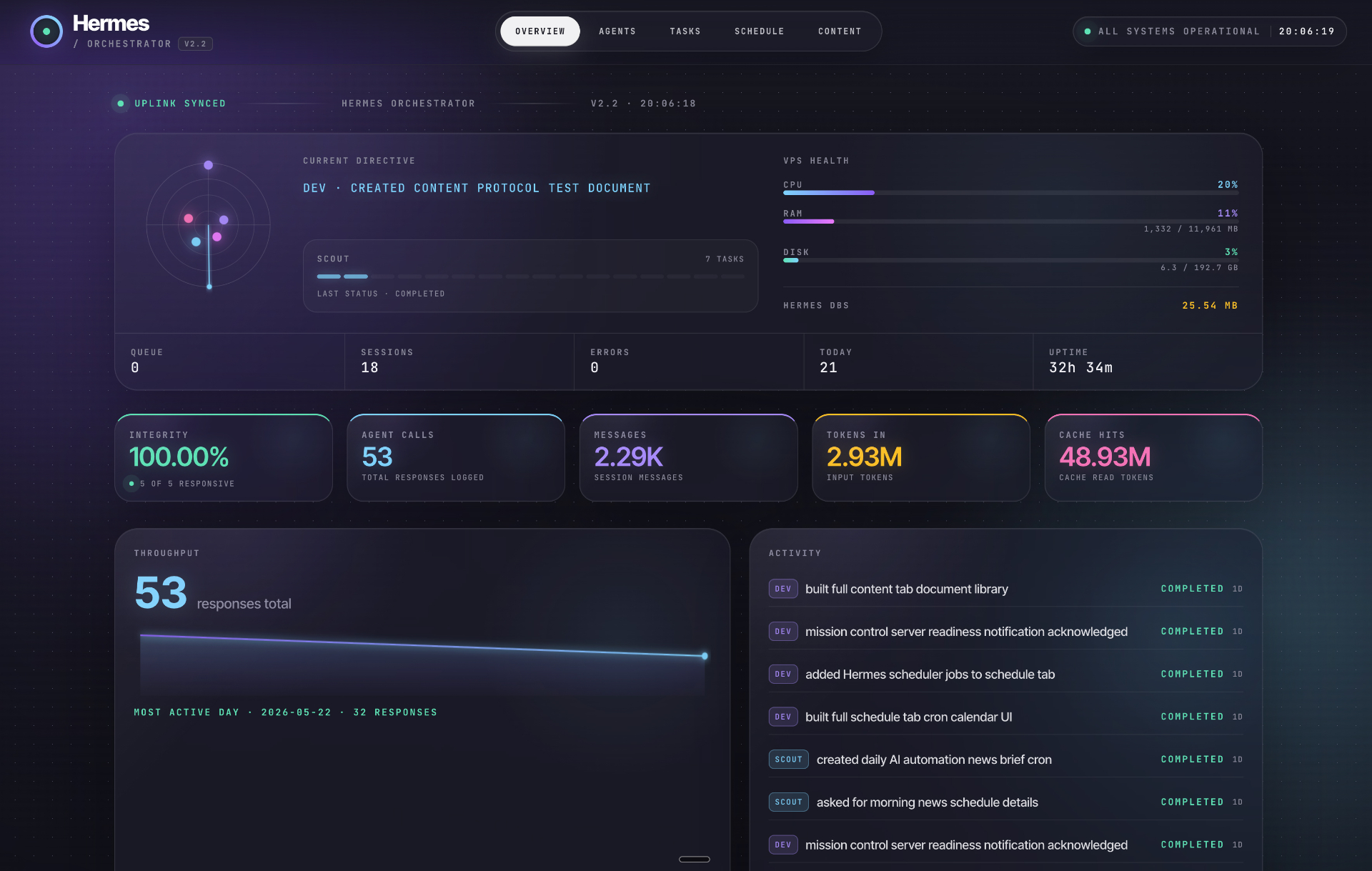
- Overview — Live ops console: current directive, VPS health, throughput sparkline, activity feed
- Agents (The Collective) — Per-agent 7-day activity, response counts, model assignment, task distribution
- Task Board — Kanban execution view: Pending · In Progress · Done with cron job counters
- Schedule — Cron calendar grouped by cadence with the next-7-days timeline
- Content Library — Agent-generated markdown documents, filtered by agent with full preview
🏁 Getting Started
To build your own Hermes AgentOS:
- Get a VPS — Contabo or RackNerd ($3-6/month)
- Install Hermes Agent — Follow the NousResearch guide
- Watch the tutorial — Follow the 31-step guide in the video above
- Configure agents — Set up Orchestrator on Telegram, specialists on Discord
- Deploy the dashboard — Download the template and connect to your Hermes instance
- Set up mobile access — Tailscale for phone & laptop
📌 Conclusion
Hermes AgentOS transforms the way you work with AI agents — from isolated chatbots to a coordinated multi-agent operating system. With 5 agents working across platforms, a beautiful dashboard for oversight, and complete self-hosted control, it’s one of the most practical AI agent setups available today — and it’s completely free.
Whether you’re a developer, content creator, or automation enthusiast, this system gives you a production-ready multi-agent AI infrastructure that you can customize for any workflow.
📱 Connect
Follow Asad Tinkers on YouTube (@asadtinkers) for more Hermes Agent tutorials and AI automation content.